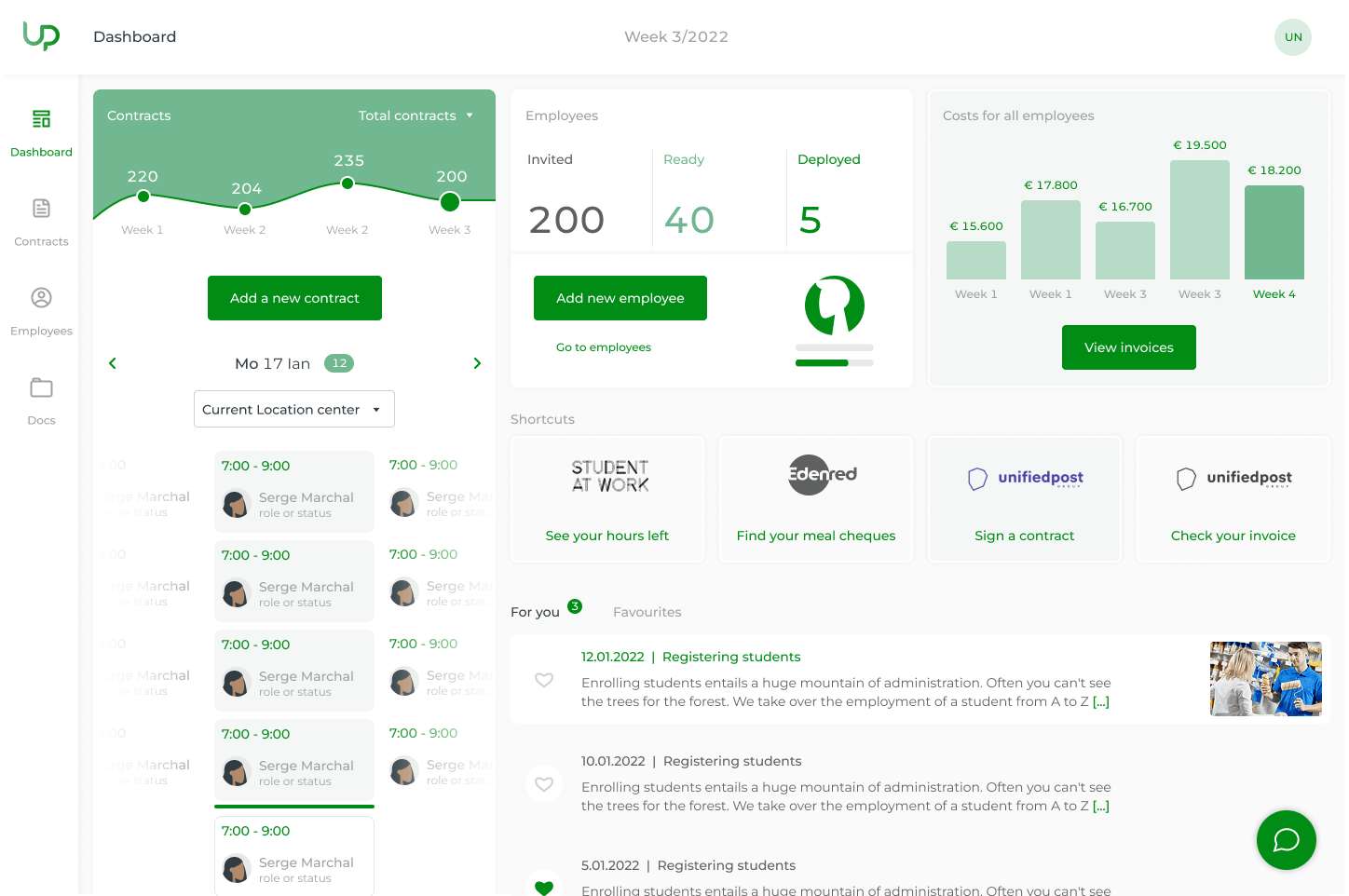
Click on one of the blocks below for more information
Dashboard
Overview, insights, and shortcuts
Employees
Manage your pool centrally and intuitively
Planning
Quickly create, edit, or cancel
Reporting
Control over hours, costs, and staffing
Dashboard
Overview, Insights, and Shortcuts
You can immediately see your temporary employees, active contracts, and estimated weekly costs. Use the shortcuts to add employees or create contracts. Everything is clearly grouped by cost center or reporting level.
Employees
Manage Your Pool Centrally
Manage all your temporary employees in one place. Use the filters to quickly find your student workers, flexi-job workers, temporary laborers, or temporary office workers. You can invite new employees to fill in their information or add them yourself.
Contracts
Quickly request, change, or cancel
Here, you can request contracts, modify them, or cancel them as needed. After work, confirm the hours worked. This allows Update-pro to process the work performed and the administrative data correctly.
Reporting
Control over Hours, Costs, and Deployment
Export your data for reporting and analysis. This will give you a quick overview of your staffing levels, staffing by cost center, and recurring staffing needs. Need more information? We’ll work with you to determine which reports are relevant to your operations.
A dedicated contact person behind every screen
Digital wherever possible, —personal wherever it matters.
For questions, exceptions, or social and legal checks, you have a dedicated contact person at Update-pro.
From flexi-jobbers to temporary office workers and laborers
A single portal for all forms of temporary employment
Whether you're hiring flexible staff—from flexi-jobbers to temporary office workers and laborers—Update-pro ensures accurate contract and payroll processing.